It’s one of those things you don’t notice—until you actually need the footage.
A lot of people assume their CCTV system is working fine… until they go back to check a recording and find nothing there. No footage, no error, just empty playback.
This is more common than you think, especially in homes and small businesses across United Arab Emirates.
Let’s break down what usually goes wrong—and how to fix it.
🔍 1. Hard Drive Issues (Most Common)
Your CCTV system stores recordings on a hard drive inside the DVR/NVR. If that drive fails or gets full, recording simply stops.
What to check:
- Is the storage full?
- Is the hard drive detected in settings?
- Any unusual noise from the recorder?
Quick fix:
Restart the system and check storage settings. If the drive is faulty, it may need replacement.
⚙️ 2. Recording Settings Are Disabled
Sometimes the system is working—but recording is turned off or scheduled incorrectly.
Common mistakes:
- Recording only set for certain hours
- Motion detection turned off
- Cameras not selected for recording
Fix:
Go into your DVR/NVR settings and confirm:
- Recording mode = continuous or motion
- All cameras are enabled
📡 3. Camera Not Connected Properly
Loose cables or network issues can stop recording even if the camera appears online.
Check for:
- Damaged cables
- Poor connections
- Network drop (for IP cameras)
🔌 4. Power Supply Problems
If cameras are not receiving stable power, they may stop recording intermittently.
Fix:
- Check adapters and power sources
- Use a stable power supply or UPS if needed
📱 5. App Shows Live View But No Playback
This confuses many users. You can see live footage—but no recordings.
That usually means:
- Storage is not configured
- Recording is disabled
- Playback settings are incorrect
🛠️ When to Call a Professional
If you’ve checked everything and still face issues, it’s better to have a technician inspect the system.
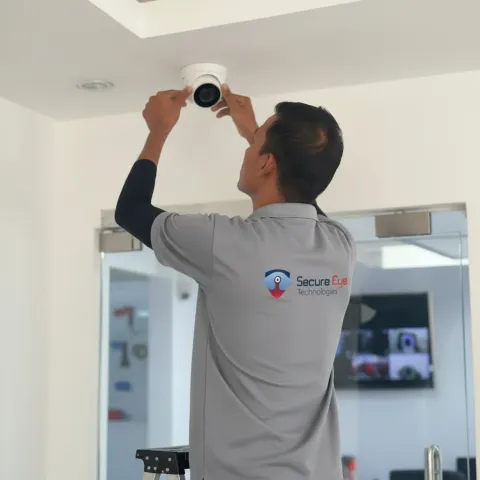
At Secure Eye Technologies, we regularly fix CCTV systems that were installed incorrectly or not configured properly in the first place.
blog_single.faq_heading
Why is my CCTV camera not recording but live view works?
Live view uses a direct stream from the camera, while recording depends on the DVR or NVR storage path. If live view works but recordings are missing, the issue is almost always storage: a full hard drive, a corrupted sector, an unmounted disk, or a recording schedule that excludes the current hour. Open the recorder's storage menu and check disk health and free space first.
What's the most common reason CCTV stops recording overnight?
A failing hard drive that can't keep up with continuous writes. After 2 to 3 years of 24/7 recording, the disk develops bad sectors and the recorder silently stops writing while live view keeps running. UAE summer heat (especially in Sharjah and Ajman) accelerates this failure. Check the SMART status or HDD health in the recorder admin menu.
How do I check if my DVR or NVR hard drive is failing?
From the recorder admin menu, open Storage or HDD Management. Look for "abnormal", "bad sector", or "format required" warnings. If the UI doesn't show drive health, listen for clicking sounds and check operating temperature: any drive running above 50°C in summer is usually on borrowed time and should be replaced before it fails fully.
Why does CCTV playback fail even though recording is on?
Playback failure usually means one of three things: the time range you're searching is outside the retention window (the drive overwrote it), the channel was set to motion-only recording instead of continuous, or the recorder's date and time were wrong when the event happened. Check the recording schedule and verify the system clock matches local UAE time.
Can a power cut cause CCTV to stop recording permanently?
A power cut alone won't permanently stop recording, but a cut during an active write can corrupt the file system on the hard drive. After a power dip, restart the recorder, force a disk check from the storage menu, and reformat if the drive reports errors. A small 1500VA UPS prevents this for under AED 500 and pays for itself the first time.
How long should CCTV footage be kept?
For UAE residential setups, 14 to 30 days of retention is standard. For commercial premises (shops, offices, warehouses), 90 days minimum is recommended and is required by some Sharjah Police and Dubai Police licensing conditions. Storage needed = camera count × bitrate × hours × days. A 4-camera 4MP system at 4Mbps each needs roughly 2TB for 30 days of continuous recording.
My Tapo, CP Plus, or Hikvision camera records but shows "no video" on playback. What now?
This is usually a firmware bug after an auto-update, or a corrupted recording index. Reboot the camera and recorder, then run "Repair" or "Rebuild Index" in the storage menu. If the recordings exist on disk but won't play through the UI, copy the .dav or .264 file to a USB stick and play it in VLC: if it plays, the recording is intact and only the playback UI is broken.